What the MyWDFW App Is Used For
Picture this: you're out on a beautiful Washington river, the fish are biting, and you're having an incredible day. Suddenly, a WDFW enforcement officer approaches, asks for your license, and your heart sinks. Did you remember to print it? Is your Catch Record Card filled out correctly? Did you check for that last-minute emergency rule change? These are the real-world anxieties many Washington anglers face, and that's precisely where the MyWDFW app steps in to simplify your fishing life. This guide will walk you through everything the MyWDFW app is used for, ensuring you're always prepared and compliant on the water.
What is the MyWDFW App, Really?
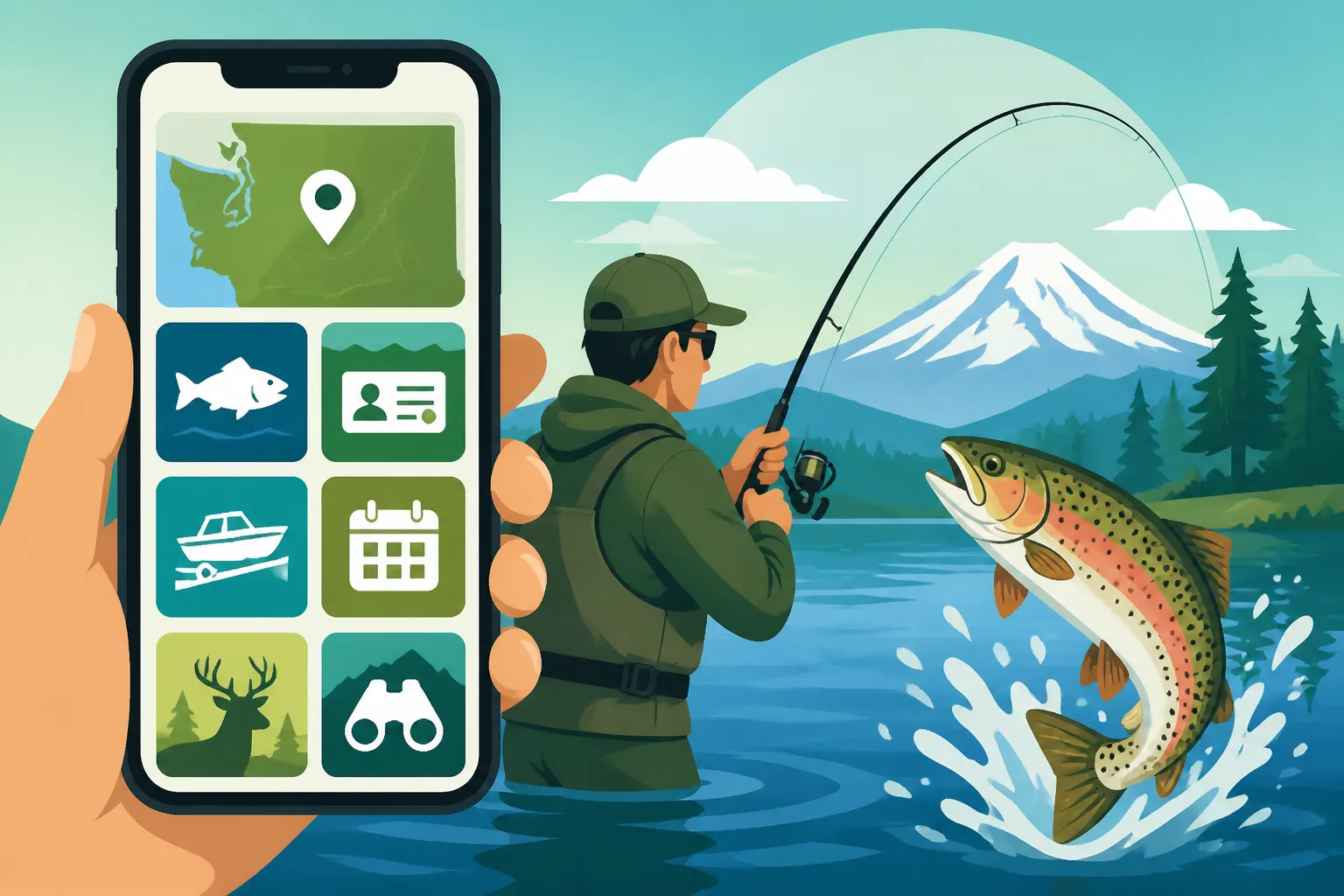
The MyWDFW app is much more than just a digital placeholder for your fishing license. It's the Washington Department of Fish and Wildlife's (WDFW) official mobile application, designed to be a comprehensive digital hub for all your recreational licensing and reporting needs. In essence, it's an effort by the state to modernize how anglers and hunters interact with regulations and their own personal license information, bringing essential tools right to your smartphone. For years, keeping track of paper licenses, various endorsements, and those crucial Catch Record Cards felt like a constant balancing act. This app aims to put an end to that juggling, centralizing everything in one easy-to-access location.
Beyond Just a Digital License
While the ability to display your fishing license on your phone is a huge convenience, the MyWDFW app offers so much more. Think of it as your personal WDFW assistant. It's not just about showing proof that you've paid your dues; it's about making sure you have all the necessary information at your fingertips to stay legal and informed. This includes having immediate access to your current endorsements, like the important Washington's Columbia River Salmon and Steelhead Endorsement, which is often required for specific fisheries. It’s about empowering you to be a more responsible and organized angler, reducing the stress of paperwork and allowing you to focus more on the actual fishing.
Who Benefits Most from This App?
Honestly, any angler who fishes in Washington state will find immense value in the MyWDFW app. However, it's particularly beneficial for those of us who are frequently on the go, tend to forget paper documents, or simply prefer the convenience of digital tools. If you're someone who moves between different fisheries – say, fishing for salmon in Puget Sound one week and then heading to a local lake for trout the next – managing multiple regulations and licenses can be a headache. The app simplifies this by consolidating all your information. Even if you only fish occasionally, the ability to quickly confirm a rule or report a catch without having to find a physical drop box or mail a card is a game-changer. It's especially helpful for newer anglers who are just learning Washington Fishing Regulations Every Angler Should Know, providing an easily accessible source of truth.
Essential Features and How They Make Your Life Easier
The core of the MyWDFW app's utility lies in its robust set of features, each designed to streamline a specific aspect of fishing compliance and information access. These aren't just flashy additions; they're practical tools that genuinely address common pain points experienced by Washington anglers.
Digital License and Endorsement Management
One of the standout features of the MyWDFW app is its ability to serve as a digital wallet for all your WDFW-issued licenses and endorsements. Gone are the days of scrambling through your physical wallet or tackle box, hoping you remembered to grab that printed license before heading out. With the app, your current Washington Fishing License Guide for Nonresidents or Resident vs Nonresident Fishing Licenses in Washington is always with you, as long as you have your phone. This includes all your specific endorsements, whether it's for shellfish, a two-pole endorsement, or a special management area.
The app displays your official license details, complete with your customer ID and the specific privileges you've purchased. This digital format is accepted by WDFW enforcement officers, making roadside checks a breeze. It's a fantastic solution for those moments when you've accidentally left your paper copy at home, preventing potential citations and allowing you to continue enjoying your day on the water without unnecessary stress. It’s also incredibly useful for quickly checking the validity period of your Washington Annual Fishing License Validity Period, so you know exactly when it's time to renew.
Catch Record Card Submission
For many salmon and steelhead anglers, the Catch Record Card (CRC) is both a legal requirement and a source of occasional frustration. Forgetting to fill it out, losing it, or missing the deadline to return it can lead to penalties. The MyWDFW app revolutionizes this by offering an electronic Catch Record Card submission system. This means that when you catch a salmon, steelhead, or halibut, you can record it directly in the app at the time of the catch.
The electronic CRC function guides you through the process, prompting you for all the necessary information, such as species, date, location (marine area or river), and whether the fish was kept or released. Once submitted, the data is sent directly to WDFW, fulfilling your legal obligation without any paper or postage. This is a massive improvement, especially when you're on a remote river system like Washington's Olympic Peninsula Rivers or fishing the Columbia River in Washington where mailboxes are few and far between. It significantly reduces the chances of errors or forgotten submissions, making The Washington Catch Record Card and What It Requires much more manageable.
Checking Emergency Rules and Regulations
Washington's fishing regulations, particularly for salmon and steelhead, are notoriously complex and subject to frequent in-season changes. These Emergency Rule Changes: Why Washington's Rules Shift Mid-Season can often catch anglers off guard, leading to accidental violations. The MyWDFW app offers a lifeline here by providing real-time access to current emergency rules and regulations. While it's still crucial to consult the official WDFW website or the annual pamphlet, the app provides a quick and convenient way to check for updates while you're already out fishing or planning your next trip.
Imagine you're fishing for salmon in Puget Sound and hear whispers of a sudden closure in a nearby marine area. Instead of having to find Wi-Fi and navigate to a website, you can often pull up the latest emergency rules directly on your phone, assuming you have cell service. This feature is particularly valuable for anglers targeting highly managed species like Chinook and Coho salmon, where daily bag limits and specific gear restrictions can change rapidly based on test fishery results or harvest quotas. Being able to quickly confirm these changes can mean the difference between a legal catch and a citation.
Navigating the App: A Step-by-Step Walkthrough
Getting started with the MyWDFW app and leveraging its powerful features is straightforward, but knowing the exact steps can save you time and hassle. Let’s break down how to get set up and use some of its most important functions.
Getting Started: Download and Account Setup
First things first, you'll need to download the MyWDFW app. It's available on both the Apple App Store for iOS devices and the Google Play Store for Android. Simply search "MyWDFW" and look for the official Washington Department of Fish and Wildlife icon.
Once downloaded, you'll need to either create a new account or log in with your existing WILD account credentials. This is the same account you use to purchase your licenses online through the WDFW website. If you've never purchased a WDFW license online, you'll need to go through a brief registration process, which typically involves providing personal information like your name, address, and date of birth. Make sure all this information matches what WDFW has on file to ensure a smooth linking process with your existing licenses. It's crucial that you link to the correct account, otherwise, your purchased licenses won't appear.
Linking Your Licenses and Purchases
After successfully logging in, the app should automatically display any active licenses, endorsements, and Catch Record Cards associated with your WILD ID. This is where the magic happens – all your Washington fishing credentials, whether it's your annual freshwater license, a shellfish endorsement, or your Two-Pole Endorsement in Washington, Explained, are now digitally organized.
If, for some reason, your licenses don't immediately appear, there's usually a refresh option within the app. You might also need to double-check that you've logged in with the exact same credentials you used to purchase your license. Sometimes, people inadvertently create multiple WDFW accounts, which can cause issues. If you encounter persistent problems, the WDFW licensing division can assist you in merging accounts or troubleshooting. The convenience of having everything in one place, instantly accessible, truly showcases the power of this app. No more digging through piles of paper receipts; it's all there, neatly presented.
Submitting Your Catch Records Electronically
Submitting your Catch Record Cards (CRCs) through the MyWDFW app is incredibly simple and arguably one of its most valuable functions. After you've caught a salmon, steelhead, or halibut that requires recording on a CRC, navigate to the "Catch Record Card" section within the app.
- Select the appropriate CRC: You'll see a list of your active CRCs. Tap the one corresponding to the species you caught.
- Record the catch: The app will present fields for you to input the date of the catch, the location (e.g., Marine Area 9 for Salmon Fishing, Explained or a specific river), and the species.
- Indicate kept or released: You'll mark whether the fish was kept or released. If it was released, ensure you understand the Catch-and-Release Rules During Wild Steelhead Closures.
- Species-specific details: For some species, like salmon, you might be asked for fin clip information (e.g., adipose clipped) to differentiate between hatchery and wild fish.
- Submit: Once all fields are completed, hit submit. The app will confirm the submission, and your digital CRC will be updated.
This electronic submission saves you the hassle of mailing in your physical cards by the deadline, usually January 31st of the following year. It's also fantastic for managing your annual limits and ensuring you accurately report your harvest data, which is crucial for WDFW to monitor fish populations and set future seasons. For detailed information on specific recording requirements, you can always refer to When a Catch Record Card Is Required in Washington.
Common Questions and Troubleshooting for MyWDFW
Like any technology, there might be a few bumps in the road when using the MyWDFW app. Addressing common concerns and offering troubleshooting tips can help ensure a smoother experience for all anglers.
"What if I Don't Have Cell Service on the River?"
This is a totally valid concern, especially for those of us who love to explore remote fishing spots where cell service is spotty at best or completely nonexistent. Think about the wild rivers of the Olympic Peninsula or some of the more secluded lakes in Eastern Washington – cell coverage is a luxury, not a given. The good news is that the MyWDFW app is designed with some offline functionality, particularly when it comes to displaying your licenses.
You can usually display your downloaded licenses and endorsements even without an active internet connection, as long as you've logged in and accessed them previously when you did have service. The app often caches this information locally on your device. However, for features requiring data submission, like electronically reporting a catch on your Catch Record Card or checking the absolute latest emergency rule changes, you will need a connection. In areas without service, you should still carry a physical Catch Record Card and fill it out manually at the time of catch. Then, you can use the app to submit it electronically once you're back in an area with service. It's always a good idea to pack a portable power bank, perhaps one you ordered from Amazon, to keep your phone charged, especially in remote locations where a dead battery could leave you without your digital license.
Ensuring Your Information is Always Up-to-Date
To get the most out of the MyWDFW app, it's important to ensure that the information it displays is always current. This primarily means making sure your app is linked to your most recent WDFW purchases and that you're checking for app updates regularly.
Whenever you purchase a new license or endorsement, log into the MyWDFW app and refresh your profile. The app usually pulls your latest license data automatically, but a manual refresh ensures everything is in sync. It's also a good habit to periodically check for app updates through your phone's app store. Developers frequently release updates that fix bugs, improve performance, or add new features, ensuring compatibility with the latest WDFW systems and your phone's operating system. Staying updated prevents potential glitches and ensures you have access to the most accurate information regarding Washington Fishing Seasons and Emergency Closures.
It's also worth noting that while the app is a fantastic tool, it's always a good practice to cross-reference critical information with the official WDFW website or a printed copy of the latest regulations pamphlet, especially when planning a trip or fishing an area with highly variable rules. The app is incredibly convenient, but a multi-pronged approach to rule checking provides the ultimate peace of mind.
Here’s a quick overview of the MyWDFW App’s key features:
| Feature | Description | Benefit for Anglers |
|---|---|---|
| Digital License Display | Stores and displays all active WDFW licenses and endorsements. | No need for physical copies; always accessible on your phone. |
| Electronic Catch Record Cards | Allows real-time digital submission of salmon, steelhead, and halibut catches. | Reduces paperwork, ensures timely submission, and prevents loss. |
| Rule & Regulation Access | Provides quick access to current fishing regulations and emergency rules. | Stay informed about in-season changes and avoid violations. |
| Account Management | Links directly to your WILD ID for easy access to your purchase history. | Centralized hub for all your WDFW interactions. |
| Offline Capability (Limited) | Licenses can often be viewed without an internet connection. | Critical for remote fishing locations without cell service. |
Disclaimer
Please remember that while the MyWDFW app is a fantastic tool for managing your licenses and reporting catches, it's essential to always consult the official Washington Department of Fish and Wildlife regulations for the most current and complete information before heading out on any fishing trip. Regulations can change frequently, and it is every angler's responsibility to know and abide by the current rules.