Can You Show Your License on Your Phone in Washington?
There's nothing quite as frustrating as getting ready for a day on the water, only to realize you’ve left your physical fishing license at home, or worse, it’s crumpled and unreadable after a rainy trip. For years, Washington anglers have wrestled with the challenge of keeping their paper licenses safe and accessible. Thankfully, times have changed, and this guide is here to walk you through the modern convenience of carrying your Washington fishing license right on your phone, making those last-minute license scrambles a thing of the past.
The Digital Shift in Washington Fishing Licenses
The digital revolution has certainly made its way into the world of Washington fishing regulations, bringing a much-needed breath of fresh air for anglers who appreciate convenience. The days of frantically searching for that flimsy paper license or stressing about it getting soaked and illegible are largely behind us, thanks to official digital options.
Embracing Convenience: The MyWDFW App
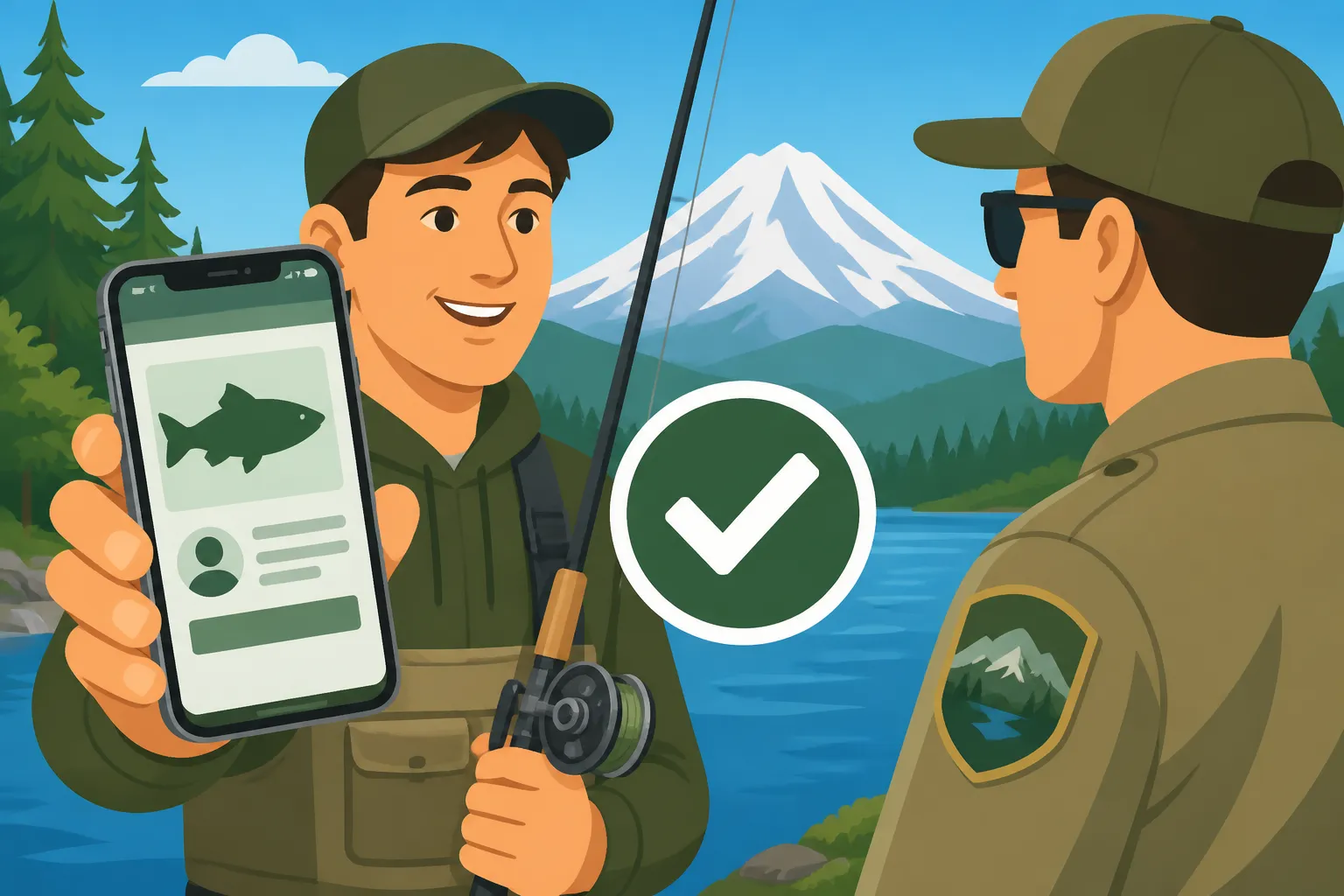
Washington Department of Fish and Wildlife (WDFW) understood the need for a more modern approach, and they delivered with the MyWDFW app. This isn't just some third-party app; it's the official portal designed to make managing your fishing and hunting licenses incredibly easy. Once you’ve purchased your license online, whether it’s an annual pass or a short-term option, you can access it directly through the app. Imagine standing on the bank of the Columbia River, ready to cast, and realizing your wallet is in the truck, but your phone is in your pocket. With the MyWDFW app, you simply open it up, log in, and your valid license is right there, ready to be presented to any Fish and Wildlife officer. It’s a genuine game-changer for avoiding that panicked feeling of being unprepared.
Beyond just displaying your license, the app is a powerhouse of features. It can store your Catch Record Card information, allowing you to log your catches digitally rather than wrestling with a pen and a damp paper card. This integration means less clutter in your tackle box and a streamlined experience from start to finish. For anyone wondering what the MyWDFW App Is Used For, it’s truly about bringing all your essential WDFW interactions into one easy-to-use digital space. It’s designed to provide peace of mind, knowing that your legal documentation for fishing is always with you, as long as your phone is.
What the Rules Say About Digital Display
This is where some anglers still feel a bit of confusion, and it’s a totally valid concern. For a long time, the only acceptable proof of a fishing license was a physical, signed paper document. So, the shift to digital naturally raises questions. The good news is that WDFW does officially accept the display of your recreational license on a personal electronic device, like your smartphone. This means you don't have to print it out if you prefer the digital route.
However, there’s a nuance here. Simply showing a screenshot of your license might not always cut it, especially if that screenshot is outdated or unclear. The official WDFW policy, and what Fish and Wildlife officers prefer, is for you to display your license directly through the MyWDFW app. This ensures the license is current, valid, and clearly associated with your WILD ID. It removes any ambiguity or suspicion that a static image might be old or manipulated. While a quick screenshot might get you by in a pinch, relying on the live display within the official app is the best practice and keeps you in full compliance. Understanding these guidelines around Carrying Your Washington Fishing License: Paper, Phone or the MyWDFW App can save you a lot of potential headaches and ensure a smooth interaction with enforcement officers.
Beyond the License: Electronic Catch Reporting
Fishing isn't just about catching fish; it's also about responsible reporting, especially when it comes to species like salmon, steelhead, and halibut that require a Catch Record Card (CRC). This part of the process has historically been a bit of a chore for many, involving small, tear-off cards and writing with cold, wet fingers.
The Evolution of Catch Record Cards
For decades, the paper Catch Record Card was a staple in every Washington angler's toolkit. When you landed a salmon, steelhead, or halibut, you were legally required to immediately record the catch on your physical CRC, noting the species, date, and catch area. It was a critical system for WDFW to monitor harvest levels and manage fish populations. But let's be honest, those little cards were easily lost, damaged by water, or forgotten at home. Trying to scrawl legible details with numb fingers in a rainstorm was hardly ideal.
Enter the digital solution: electronic catch reporting. WDFW has integrated this capability into the official MyWDFW app and also offers the Fish Washington app, specifically designed to streamline this process. Now, when you catch a fish requiring a CRC, you can simply open the app, navigate to your Catch Record Card, and digitally log the details. It's instant, accurate, and eliminates the need for a physical card and pen. This shift to Electronic Catch Record Cards and the Fish Washington App has been a huge relief for many anglers, making compliance much easier and less prone to human error or the elements.
Think about it: instead of fumbling for a wet pen and a soggy card after landing a beautiful Puget Sound Chinook, you can quickly tap a few options on your phone. This digital approach not only makes the angler's life easier but also provides WDFW with real-time, more accurate data, which is crucial for effective fishery management. It’s a win-win, ensuring that anglers fulfill their reporting duties without unnecessary hassle. If you're wondering How to Report Catch With the Fish Washington App, you'll find it incredibly intuitive, guiding you through each step with clear prompts.
When Digital Might Not Be Enough and Why
While the convenience of digital licenses and electronic catch reporting is undeniable, it's essential to be a realist about technology. Phones are fantastic, but they're not infallible, especially in the rugged environments many of us fish in here in Washington. One of the biggest concerns is battery life. A dead phone battery means your digital license is inaccessible, leaving you in a tricky spot if a Fish and Wildlife officer asks to see it. It’s the kind of scenario that can quickly turn a fantastic day of fishing into a stressful encounter.
Another significant consideration is cell service. Many of Washington's most pristine and productive fishing spots, especially those tucked away in the Olympic Peninsula rivers or the remote lakes of Eastern Washington, are well outside the range of reliable cellular data. If you’re planning a trip to a secluded stretch of the Hoh River or a quiet high-mountain lake, relying solely on your phone for your license might leave you stranded if there’s no signal to access the MyWDFW app. This lack of connectivity is a genuine concern, and it’s why many seasoned anglers still advocate for having a backup. The anxiety of technology failing is a common and completely understandable feeling, particularly when it comes to legal requirements. For these situations, knowing Where to Find Current Washington Fishing Rules beforehand, including information on remote access and cell coverage, can be invaluable. It truly pays to be prepared for all eventualities, ensuring your digital convenience doesn't turn into a digital dilemma.
Practical Tips for Digital License Management
To truly embrace the digital era of Washington fishing licenses without running into unexpected snags, a few proactive steps can make all the difference. It's all about balancing convenience with preparedness.
Ensuring Your Digital License is Always Accessible
The key to a successful digital license experience is constant accessibility. First and foremost, always ensure your smartphone is fully charged before heading out for your fishing adventure. Consider carrying a portable power bank, especially for longer days or multi-day trips. These devices are lifesavers when you’re far from an outlet and your phone's battery starts to dwindle. You might even pick up a rugged, waterproof phone case or a portable power bank from places like Amazon to ensure your device stays protected and powered up, especially during those long days out on the water. Losing power is the number one reason digital licenses become unusable, so make this a priority.
Another smart move is to save a PDF copy of your license directly to your phone's files or email it to yourself. While WDFW prefers you show the live app, having a local PDF copy means you can still access your license details even if you momentarily lose cell service. It acts as a secondary digital backup. Additionally, consider taking a clear, high-resolution screenshot of your valid license within the MyWDFW app. Keep it easily accessible in your photo gallery. This way, if the app glitches or you're in a very low-service area, you have another immediate visual reference. These simple steps create multiple layers of redundancy, safeguarding your access to your license information no matter what Mother Nature or technology throws at you.
What to Do If Your Phone Dies or Gets Lost
Even with the best preparation, unforeseen circumstances can occur. A phone can die unexpectedly, get dropped in the water, or simply get lost. These are valid fears that can stress out even the most experienced angler. This is precisely why having a robust backup plan is absolutely essential, even if you primarily rely on your phone.
The most straightforward contingency plan is to simply keep a printed copy of your fishing license tucked away in a waterproof bag in your tackle box, in your vehicle, or even laminated and kept with your boat registration. This physical copy serves as a fail-safe should your digital access disappear. While the goal is digital convenience, a paper backup is invaluable. If you're ever in a situation where your phone is out of commission and you don't have a physical copy, knowing your WILD ID (Washington ID number) can be crucial. Fish and Wildlife officers can often look up your license details with this number, provided they have the means to do so. Therefore, memorizing or writing down your WILD ID somewhere safe, like on a small tag on your keychain, is a proactive step. For detailed guidance on whether Do You Need to Print Your Washington Fishing License?, it’s clear that while not strictly mandatory, it’s a wise backup strategy for peace of mind.
Addressing Common Concerns and Misconceptions
Despite the widespread acceptance of digital licenses, some anglers still harbor understandable questions or misconceptions. Let's tackle these head-on to ensure everyone feels confident about their licensing choices.
The Warden's Perspective: What They Look For
When a Washington Fish and Wildlife officer approaches you on the water, their primary goal is to ensure you're fishing legally and safely, and part of that is verifying your license. They are well aware of the MyWDFW app and generally expect anglers to be able to present their license on their phone. What they're looking for is a clearly visible, current, and verifiable license. This means a bright, functioning screen that allows them to read all the necessary details, including your name, WILD ID, and the license's validity period.
While they understand that technology can be fickle, they also expect anglers to be prepared. If your phone is dead, or you can't access the app for some reason, they'll likely ask for a physical copy or your WILD ID. Being cooperative and transparent goes a long way. Trying to quickly fumble with a dying phone or present a blurry, outdated screenshot might raise more questions than answers. The key is readiness. A quick, smooth presentation of your license through the official app will make their job easier and get you back to fishing faster. It's a common concern: Do Wardens Check Licenses on Washington Rivers?, and the answer is a resounding yes, so being prepared, whether digitally or with a backup, is paramount.
Comparison: Digital vs. Paper License
To help you decide which method works best for your personal fishing style and comfort level, let's break down the pros and cons of digital versus traditional paper licenses. Each has its advantages, and ultimately, the best choice is the one that gives you the most confidence on the water.
| Feature | Digital License (MyWDFW App) | Paper License |
|---|---|---|
| Convenience | High (always on hand if phone is) | Low (easily forgotten, needs physical storage) |
| Loss Risk | Low (if phone is secured & backed up) | High (can be lost, damaged, blown away) |
| Accessibility | Requires charged phone & cell service | Always accessible (if carried & intact) |
| Environmental Impact | Low (less paper waste) | Higher (requires printing & disposal) |
| Catch Reporting | Integrated, streamlined, real-time | Manual, time-consuming, prone to errors |
| Proof of Identity | Must be shown with photo ID | Must be shown with photo ID |
| Battery Dependency | Yes (critical) | No |
| Durability | Dependent on phone's durability | Fragile, susceptible to water & tearing |
As you can see, the digital option offers significant benefits in terms of convenience and integrated features, especially with catch reporting. However, its reliance on technology – specifically a charged phone and cellular service – means that a paper backup is still a very smart play for many anglers, particularly those venturing into remote areas. Ultimately, ensuring you are compliant with all Washington Fishing Regulations Every Angler Should Know is the most important thing, and how you choose to carry that proof is a personal preference.
Disclaimer
Please remember that fishing regulations and policies can change. Always refer to the most current Washington Department of Fish and Wildlife (WDFW) regulations pamphlet or their official website before heading out to fish. This guide provides general information and should not be considered a substitute for official WDFW rules and guidelines.