How to Report Catch With the Fish Washington App
Trying to remember to fill out your paper catch card while battling a lively Chinook, or fumbling for a pen with wet hands, can feel like an impossible task when you're out on the water. It’s a common frustration, and frankly, a recipe for forgotten entries or even accidental violations. This guide is here to untangle that hassle, showing you exactly how to make reporting your catch seamless and stress-free using the official Fish Washington app.
The Frustration of Traditional Catch Reporting and the App Solution
Let's be honest, the romance of fishing doesn't always extend to the paperwork. For years, anglers across Washington have grappled with the mandatory paper catch record cards, and while they serve a vital purpose in fisheries management, they've also been a source of endless headaches. From the moment you land a salmon or steelhead, the clock is ticking, and the pressure is on to record it correctly.
Why Anglers Often Struggle with Paper Catch Cards
Think about it: you've just landed a beautiful coho on the Cowlitz River. You're ecstatic, your hands are cold and wet, and now you have to dig out that flimsy paper card, find a pen that actually works in the damp, and meticulously fill in all the details before you even think about putting that fish on ice. It’s a scene replayed thousands of times each season. Anglers forget their cards at home, or worse, lose them overboard. The ink smudges, making entries illegible, or they simply forget to mail the card in by the deadline. Each of these scenarios can lead to penalties, and collectively, they create gaps in the data that the Washington Department of Fish and Wildlife (WDFW) relies on to manage our precious fish runs. The intent behind the cards is good – accurate data helps manage healthy fish populations – but the execution in the field can be a real struggle for even the most conscientious angler.
Introducing the Fish Washington App
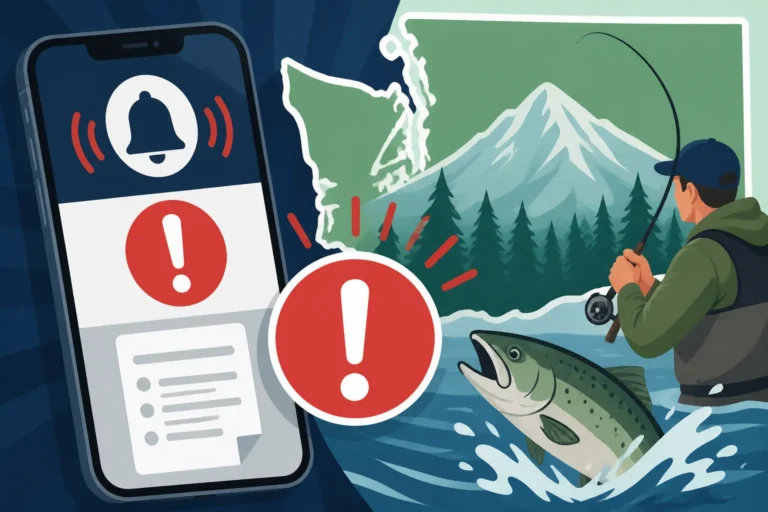
Enter the Fish Washington app, WDFW’s answer to these paper-based predicaments. This isn't just another fishing app; it's the official tool designed to bring your licensing and catch reporting into the 21st century. The app essentially puts your entire fishing profile, including your licenses and all required catch cards, right in your pocket. Its primary benefit is unparalleled convenience. Instead of juggling paper and pens, you can quickly and accurately report your retained fish with a few taps on your smartphone. This real-time reporting ensures that WDFW gets the most up-to-date information, helping them make quicker, more informed decisions about emergency rule changes and season modifications. It’s a win-win: anglers get an easier way to comply with regulations, and the WDFW gets better data to protect our fisheries.
Step-by-Step Guide to Reporting Your Catch on the App
Making the switch to digital reporting can seem daunting at first, but once you've set up the Fish Washington app, you'll wonder how you ever managed without it. It streamlines the entire process, from getting your licenses squared away to accurately logging that prize catch.
Setting Up Your Account and Linking Your Licenses
Your first step is to get the app itself. Head to your smartphone's app store (whether you're on iOS or Android) and search for "Fish Washington." Download and install it. Once it's on your phone, you'll need to either create a MyWDFW account or log in if you already have one from purchasing licenses online. This is crucial because your MyWDFW account is where all your official WDFW business lives. After logging in, the app will prompt you to link any existing licenses you hold. This means your annual Washington Fishing License Guide for Nonresidents, your specific Washington Freshwater License Cost, or any endorsements like the Washington's Columbia River Salmon and Steelhead Endorsement, Explained will all appear within the app. Take a moment to verify that all your current licenses and endorsements are correctly displayed. This ensures that when you go to report a catch, the app knows exactly which catch card to use, simplifying your life on the water.
Reporting a Kept Fish
This is where the magic happens, and it’s surprisingly straightforward. Once you’ve landed a fish you intend to keep, open the Fish Washington app.
- Navigate to Catch Reporting: Look for a clear button or section labeled "Catch Reporting" or "Catch Record Card."
- Select the Correct Card: If you have multiple licenses or active catch cards (e.g., for salmon and steelhead), the app will present them. Choose the appropriate card for the species you’ve just caught. Remember, The Washington Catch Record Card and What It Requires means you’ll have separate sections for different species.
- Enter Species Details: The app will guide you through entering information about your catch. You’ll typically select the species (e.g., Chinook, Coho, Steelhead), the date and approximate time of the catch, and the specific Marine Area or river section where you caught it. Precision here is important for WDFW data.
- Hatchery vs. Wild: For species like salmon and steelhead, you'll often need to indicate if the fish was a hatchery (adipose fin-clipped) or a wild (unclipped) fish. This distinction is critical for management purposes and daily limits.
- Confirm and Record: Review all the entered information for accuracy. Once satisfied, confirm the entry. The app digitally "punches" your catch card, just as you would with a physical pen.
It's vital to understand that you must record your kept fish immediately after it's retained and before moving from the point of capture. This is a hard-and-fast rule, whether you're using paper or the app. Imagine you're out fishing for salmon in Puget Sound, and you land your daily limit of two Chinook. You'd open the app, go to your salmon catch card, enter the details for the first fish, then repeat for the second. This immediate recording fulfills the legal requirement and ensures your data is as accurate as possible.
Modifying or Reviewing Your Reports
One of the big advantages of the digital system is the ability to easily review your past catches. Within the app, there's usually a section where you can see all your recorded entries for the current season. This can be incredibly helpful for keeping track of your personal catch history or simply ensuring everything was logged correctly.
However, while you can review, modifying or deleting an entry typically isn't as simple as just hitting an "undo" button. Once a catch is recorded, it's considered a legal entry. If you've made an accidental entry or a mistake, you usually need to contact WDFW directly for guidance. They have specific procedures for correcting errors on official catch records. The app is designed for precise, in-the-moment recording, so treat each entry as final. Before you hit that "confirm" button, take an extra second to double-check everything, especially the species, date, and hatchery/wild status. This meticulous approach ensures that your record is impeccable and you stay compliant with all regulations.
Here's a quick comparison of the traditional paper card versus the Fish Washington app:
| Feature | Paper Catch Card | Fish Washington App |
|---|---|---|
| Convenience | Requires card, pen; can get lost/wet | Smartphone always handy; no extra gear |
| Real-time Updates | Not applicable, mailed in later | Instant digital submission |
| Error Correction | Difficult, often requires WDFW contact | Reviewable, but changes may require WDFW contact |
| Loss/Damage Risk | High (water, wind, physical loss) | Low (backed up to MyWDFW account) |
| Availability | Physical stores, mail | App stores (iOS, Android) |
| Rule Updates | Relies on printed pamphlet/website | Real-time emergency rule alerts |
Beyond Basic Reporting: Other App Features and Best Practices
The Fish Washington app isn't just about recording your catch; it's a comprehensive tool designed to enhance your entire fishing experience by keeping you informed and compliant. Understanding its full capabilities and adopting some best practices can truly transform how you approach fishing in Washington.
Checking Emergency Rules and Seasons
Perhaps one of the most invaluable features of the Fish Washington app is its ability to provide real-time updates on fishing regulations. We all know how frustrating it is to plan a trip, drive for hours, only to find out the river you wanted to fish has an unexpected closure. Washington's fisheries are dynamic, and Emergency Rule Changes: Why Washington's Rules Shift Mid-Season are a common occurrence due to fluctuating fish returns or environmental factors.
With the app, you can easily How to Check for Emergency Rule Changes in Washington right from your boat or the riverbank. It provides direct access to the latest WDFW emergency rules, ensuring you're always aware of any changes to Washington Sport Fishing Seasons and Emergency Closures for specific species or areas. This prevents wasted trips and ensures you don't accidentally fish in a closed area or target a species that's suddenly off-limits. It's like having a WDFW regulation pamphlet that updates itself constantly – a truly powerful tool for any serious angler.
Carrying Your License and Catch Card Digitally
Gone are the days when forgetting your physical license meant you couldn't fish. The Fish Washington app serves as your official digital license and catch card. As long as your phone is charged and you have linked your licenses to your MyWDFW account, you can confidently Can You Show Your License on Your Phone in Washington? to any enforcement officer. This means less paper to keep track of and one less thing to worry about losing.
However, it's still smart to be prepared for scenarios where technology might fail you. What if your phone battery dies? What if you're in an area with no cell service? While the app often allows offline access to your license once it's loaded, reporting a catch definitely requires a connection to submit. Always carry a physical ID, and consider a portable phone charger for longer trips. Some anglers even print a backup copy of their license and keep it in their tackle box, just in case. It's all about balancing modern convenience with practical preparedness. For those who prefer physical options, remember you can always consult our guide on Carrying Your Washington Fishing License: Paper, Phone or the MyWDFW App for all the available methods.
Best Practices for Using the App Reliably
To truly get the most out of the Fish Washington app and avoid any potential hiccups, a few best practices will serve you well:
- Keep Your Phone Charged: This might seem obvious, but a dead phone means no digital license and no catch reporting. Make sure your device is fully charged before every trip, and consider bringing a portable power bank, especially for longer outings or multi-day excursions.
- Report Quickly, Even Offline: The app is designed to work even in areas with spotty cell service. You can often enter your catch details offline, and the app will then sync and submit the report automatically once you regain a connection. This means you can fulfill your obligation to report When You Must Record a Salmon You Keep or Do You Record Steelhead on a Catch Record Card? immediately after retention, even if you’re deep in the wilderness.
- Double-Check Entries: Before confirming any catch, take an extra moment to verify all the information. An incorrect date, species, or hatchery/wild designation can lead to inaccurate data and potentially raise questions during a check by a WDFW enforcement officer. Precision is key.
- Understand Legal Requirements: While the app simplifies the process, it doesn't change the underlying regulations. You are still legally responsible for accurate and timely reporting. Familiarize yourself with all the nuances of The Washington Catch Record Card and What It Requires so you're not solely relying on the app's interface to interpret rules for you.
- Have a Backup Plan: In the rare event that the app crashes or isn't functioning properly, know what to do. If you have a physical catch card as a backup, that's your next best option. Otherwise, contact WDFW as soon as possible to explain the situation and fulfill your reporting duties. It’s always better to be proactive and communicate.
By integrating the Fish Washington app seamlessly into your fishing routine and following these tips, you'll find that managing your licenses and reporting your catches becomes less of a chore and more of a simple, integrated part of a great day on the water.
Disclaimer
The information provided in this guide is for general informational purposes only and is subject to change. Always consult the official Washington Department of Fish and Wildlife (WDFW) regulations, emergency rule changes, and the most current version of the Fish Washington app for the most accurate and up-to-date information before engaging in any fishing activities. Compliance with all state and local fishing laws is the responsibility of the individual angler.